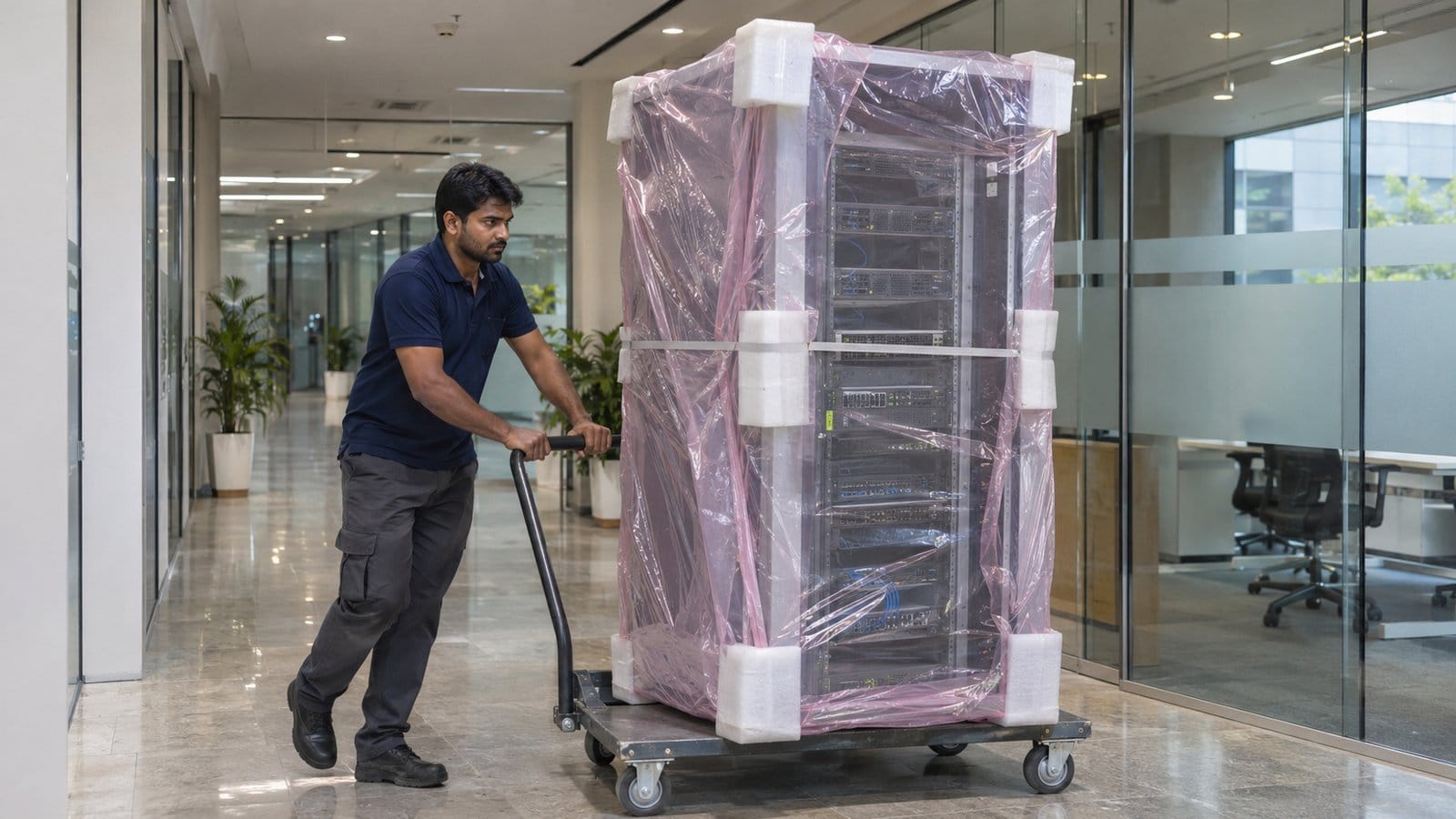
IT equipment shifting in Gurgaon goes safely when the job is split in two: your IT team or hardware vendor prepares the machines, taking servers out of the rack, disconnecting UPS batteries and checking backups, and the movers then pack, carry and place hardware that is already switched off and labelled. Most of the risk sits in that preparation, so the manufacturers' own handling instructions matter more than the distance, which inside Gurgaon is usually short.
This post is about the equipment itself: racks, servers, UPS units, drives and the room they are going into. If your whole office is only a handful of desks, our guide to moving a small office or co-working desk in Gurgaon covers the rest of the load, and the full service is described on our office relocation page.
Who does what: your IT team, the vendor or the movers?
Draw that line before anyone books a truck. I.T. Goods is one of the named service lines of our office service: computers, monitors, printers and networking kit are packed into cartons sealed with fragile tape, and every machine gets its own padded carton, labelled with a desk code. We do not configure anything. Backups, shutdown, de-racking and reconnection belong to your IT team or to the vendor who supports your hardware.
| Task | Your IT team or vendor | The movers |
|---|---|---|
| Asset list with serial numbers; photos of the rack and cabling | Yes | Count against the list at both ends |
| Backups checked and kept apart from the machines | Yes | No |
| Servers shut down and taken out of the rack | Yes | No |
| UPS batteries disconnected; a hardwired UPS unwired | Yes, with a licensed electrician for the wiring | No |
| Desktops, screens, printers and switches | Unplug and bag the cables | Pack in padded cartons, label by desk or room code |
| Loading, carrying and placing at the new office | One point person on site | Yes |
| Re-racking, reconnecting and testing | Yes | No |
The walk-through before the quote is where this gets settled. We count seats, IT and files at both offices, and your IT lead should be in that conversation, because only they know which grey box is the file server and which is a spare nobody has switched on in a year.
Can a server rack travel with the servers still inside?
Usually not, unless both the rack maker and the server vendor approve it for that model. IBM's guidance on moving a rack cabinet, last updated in November 2017, shows how quickly the weight adds up. It suggests estimating about 23 kg for each filled unit (U) of rack space; by that rule of thumb, 21 filled units come to nearly 480 kg. IBM's thresholds are:
- at least two people for an empty cabinet;
- three or four people for a cabinet of roughly 142 to 227 kg;
- professional movers above 227 kg;
- equipment removed from the top down, to lighten the cabinet and keep it stable;
- no ramp inclined at more than ten degrees.
For a long-distance move IBM goes further: return the cabinet to its as-delivered configuration, pack it in the original or equivalent packaging and strap it to a pallet.
In practice, for most Gurgaon offices, the servers come out of the rack before the move, travel in padded cartons of their own, and the empty rack goes on the truck like a piece of furniture. Before anything is unscrewed, photograph the front and back of the rack and write down which device sat in which U position, so the re-racking at the other end follows a plan rather than memory. Look at the route at both buildings too. A basement ramp or loading-bay slope steeper than ten degrees is a reason to carry the rack, not roll it.
How should the UPS and its batteries be moved?
With the batteries disconnected and, on the larger units, taken out. The manual for APC's Smart-UPS RT 8 and 10 kVA models (990-2689H, July 2014) gives four transport steps: shut down and disconnect the connected equipment, disconnect the unit from utility power, disconnect all internal and external batteries, and then follow the shipping instructions. The same manual puts the unit at 111 kg, or 129 kg in its packaging, suggests removing the batteries to lighten it, and says hardwiring must be done by a qualified electrician.
Your UPS may be a different make or size, so read its own manual. The pattern is common, though: a big UPS is really two heavy loads, the electronics and the battery pack, and it should move as two.
If the UPS is going into storage because the new server room is not ready, write the date on it. Schneider Electric's FAQ on battery discharge during storage, last modified in April 2026, says its batteries lose about 3 per cent of their capacity a month at 20 °C and about 10 per cent a month at 40 °C. It asks for a full recharge at least every six months in storage between -15 and 30 °C, and at least every three months between 30 and 45 °C. If the unit waits somewhere that runs above 30 °C, such as a room without air-conditioning in a Gurgaon summer, plan on the shorter cycle. Our warehousing keeps goods palletised and watched by CCTV; the recharge schedule stays with your IT team.
Old batteries you are not taking along count as e-waste, and how a business must dispose of them is set out in our Sector 32 office move guide.
How do loose drives, NAS boxes and laptops travel?
Apart from the heavy kit, and preferably with one of your own staff. Western Digital's page on handling internal hard drives, updated in June 2026, sets four plain rules: keep the drive in its ESD bag until it is installed, hold it by the sides, do not stack drives, and do not drop, jolt or shake it.
- To do: Drives pulled from servers go into anti-static bags, one drive to a bag, labelled with the server name and bay number
- To do: Bagged drives lie flat in a padded box, side by side, never piled up
- To do: The NAS or backup drive travels in a different vehicle from the server it backs up
- To do: Laptops are shut down fully rather than left asleep, and carried by their users where possible
- To do: Your asset list is ticked at the old door and again at the new one
Who may see what is stored on those drives is a legal question as much as a practical one. What the Digital Personal Data Protection Rules ask of a company is covered in our Cyber City office move post, and why equipment coming off an air-conditioned floor in humid weather should settle before it is switched on is explained in our Udyog Vihar post.
Is the new server room ready to be plugged in?
Check this a week ahead, because a mover can place a server but cannot make the room safe for it. The Central Electricity Authority's safety and electric supply regulations, notified on 8 June 2023, contain two rules that matter here.
Who may do the wiring. Regulation 31 says electrical installation work, including additions, alterations and repairs, may be carried out only by an electrical contractor licensed by the State Government, under the direct supervision of a person holding a certificate of competency. Replacing lamps, fans, fuses, switches and similar fittings without changing the installation is exempt. Work done in breach of the rule must not be energised. New circuits for a server room, or wiring in a hardwired UPS, sit on the licensed side of that line.
What protects it. Regulation 44 says the use of electricity in an installation must be controlled by a residual current device, or RCD, rated as the relevant standards require.
Put these questions to the building's facility team and to your electrician:
- To do: Are the server-room circuits finished, tested and signed off by a licensed contractor?
- To do: Is an RCD fitted, and has the earthing been tested?
- To do: Is the floor where the UPS will stand strong enough for its weight, and will its vents stay clear?
- To do: Is the air-conditioning running before the servers arrive? APC's manual gives the Smart-UPS RT an operating range of 0 to 40 °C.
- To do: Will the sockets be live on the day your IT team reconnects?
If the building's own supply is in doubt, our Sector 37 office post has a checklist for the generator and the goods lift.
How does the IT part of moving day run?
| When | What happens |
|---|---|
| A week before | Rack photos, U-position list and asset list with serials; electrician booked at the new office |
| The day before | Backups verified; your IT team fixes the shutdown order |
| Shutdown | Servers shut down and de-racked; UPS batteries disconnected; drives bagged |
| Packing | We pack desktops, screens, printers and switches in padded cartons coded to a desk or room; IT is packed last |
| Loading and the drive | IT cartons kept together as one lot; drives and backups travel separately with your staff |
| Arrival | Cartons placed at the coded desk or in the server room, and counted against your list |
| Reconnection | Your IT team re-racks, reconnects the UPS once the electrician has finished, and tests |
Our office keeps Monday-to-Saturday hours, 8 am to 9 pm, and stays shut on Sundays; choose the date with that in mind.
What does IT equipment shifting in Gurgaon cost?
There is no rate card for it. As our office page explains, servers, big screens and printers take extra care in packing and extra space on the vehicle, so they raise the cost of a move by more than their number suggests. The quote follows the walk-through and depends on how many machines there are, whether racks travel empty, how far the lift is from the room at each end and how many trips the load needs. We issue GST invoices. For everything else that moves with packers and movers in Gurgaon, the city page lists every area we cover.
Key takeaway
Let your IT team or vendor do the preparation: backups, shutdown, servers out of the rack, UPS batteries disconnected and drives bagged one to a bag. Get a licensed electrician to finish the new server room before the day. The movers then pack each machine in its own padded carton, carry it and place it at its coded desk or room.
Once the asset list is ready, share it with us along with the old and new addresses, and we will set up the walk-through.
We read the manuals, regulations and pages listed above on 17 November 2026. This post is general information, not legal or engineering advice; follow the manual for your own hardware and check the current regulations with a licensed electrician.
Sources
- Moving a rack cabinet (IBM Elastic Storage Server documentation)
- Smart-UPS RT 8000/10000 VA Installation and Operation manual (990-2689H)
- Battery Discharge During Storage (FAQ FA156516)
- How to Handle Internal Hard Drives
- Central Electricity Authority (Measures relating to Safety and Electric Supply) Regulations, 2023 (Gazette of India copy hosted by KSEB)